
Website Migration
Migrating Drupal to WordPress without losing rankings
Drupal 7 has not received security updates since January 2025. You can read whether your new site should be on Drupal 10 or WordPress, and how to migrate without losing discoverability.
Drupal to WordPress
In this article
Why now
Why Drupal sites are switching now
Drupal is a powerful system and runs many government, education and healthcare sites. However, its share has been shrinking for years. According to W3Techs, Drupal runs on approximately 0.7% of all websites in 2026, over a third less than in 2024. Fewer sites mean fewer developers, making development and management more expensive.
The biggest problem is Drupal 7. That version ran on about half of all Drupal sites for years and received its final security update on 5 January 2025. Since then, vulnerabilities in Drupal 7 and its modules are no longer patched. There is no standard upgrade to Drupal 10 or 11: it requires a new build with a content migrationMigration A migration is the process of moving a website to a new system, a new server, or a new address.. This makes it the logical moment to also consider the platform itself.
Short answer: a Drupal 7 site is insecure and must be rebuilt. Since you are rebuilding anyway, switching to WordPressWordPress The world's most widely used system for building and managing websites. often costs no more than moving to Drupal 10, and subsequent management is cheaper.
The trade-off
Drupal 10 or WordPress: an honest comparison
Drupal excels in complex data structures, granular permissions and large sites with many editors. If you truly need that, stay with Drupal. For most business sites, associations and institutions, this does not outweigh the disadvantages.
- Management. Editors work in WordPress using the block editorGutenberg The default WordPress editor where you build a page using individual blocks., without knowledge of nodes, views and block regions.
- Costs. WordPress specialists are more widely available, so construction, maintenance and extensions are cheaper.
- Extensions. A maintained WordPress plugin exists for almost every Drupal module.
- SEO and GEOGEO GEO stands for generative engine optimisation: increasing the likelihood that AI assistants such as ChatGPT recognise and mention your business when someone asks them for advice.. Titles, structured dataStructured data Additional information in the code that tells search engines and AI exactly what is on a page. and sitemaps are managed per page with Rank Math or Yoast. This also helps with being mentioned in AI answers.
The inventory
What is migrated, and what must be redone?
Drupal and WordPress are structured differently, but the components can be mapped effectively.
- Articles and basic pages become posts and pages. This is largely automated.
- Custom content types become custom post types in WordPress.
- Fields become fields via Advanced Custom Fields, including images, files and references to other content.
- Vocabularies and terms become categories, tags or custom taxonomies.
- Views and blocks become query blocks and patterns in the theme. These are rebuilt.
- Webforms are rebuilt, with existing submissions secured separately.
- Users and roles can be transferred. Passwords require extra attention because Drupal encrypts them differently.
- Multilingualism becomes WPML or Polylang. The link between translations must be explicitly transferred.
Step-by-step plan
Converting Drupal to WordPress in eight steps
- Perform a baseline measurementBaseline Measurement The measurement of the initial situation before any changes are implemented.. Record all URLs, including traffic, rankings, inbound links, titles and descriptions.
- Map the content model: content types, fields, vocabularies, views, roles and modules.
- Create a full backup of the database and files, and set up WordPress on a staging environment.
- Import the content using FG Drupal to WordPress. This plugin supports Drupal 4 through 11. For complex fields, I often write a custom import script.
- Rebuild theme, overviews and forms and replace every module with a plugin or custom solution.
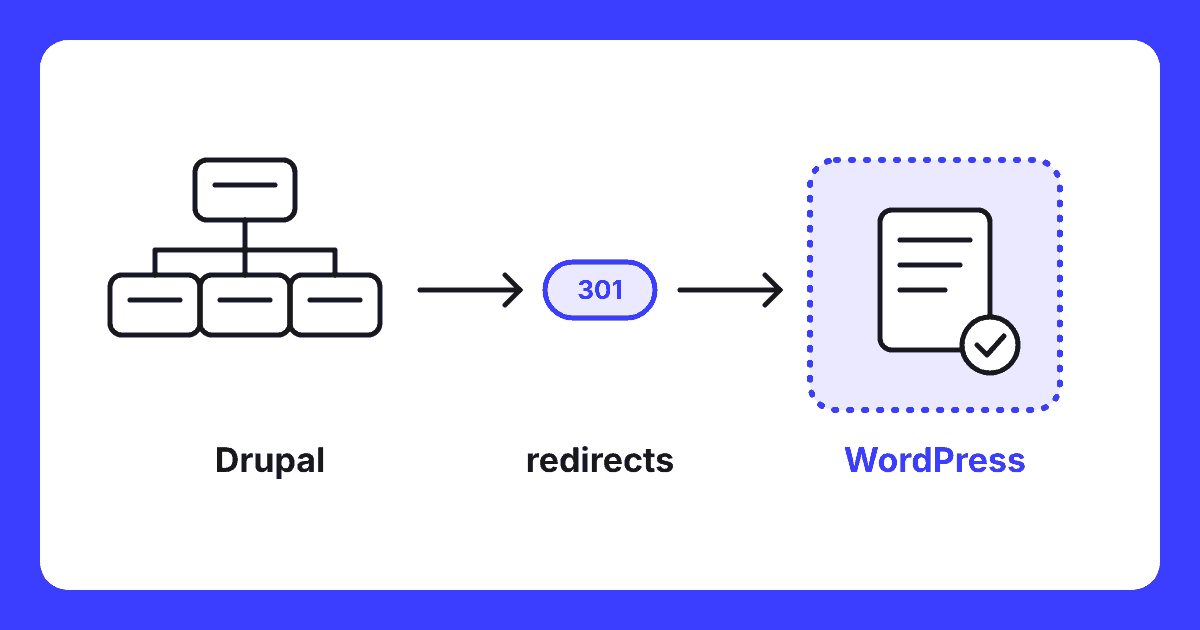
- Create the redirect plan: every old URL, including node and taxonomy addresses, gets a 301 redirect to the correct new page.
- Compare the new site with the baseline measurement: pages, titles, alt texts, internal linksInternal link An internal link is a link from one page on your site to another page on the same site. This is a link that you have complete control over yourself. and structured data.
- Go live and measure results. Submit the new sitemap to Google Search ConsoleGoogle Search Console A free service from Google that shows how your website is performing in search results. and monitor rankings and 404 errors per page.
The pitfall
Drupal URLs: where most migrations go wrong
Every Drupal page has a technical address such as /node/123. With the Pathauto module, it also receives a readable address. Google often lists both variants, and sometimes old aliases from previous titles. Taxonomy pages are located under /taxonomy/term/ and have also built up links.
That is why I extract the full list of aliases from the Drupal database and combine it with the baseline measurement and server logs. Each variant receives its own 301 redirect to the substantively correct new page. Never redirect everything to the homepage: Google treats that as a missing page.
Rule of thumb: those who only redirect readable addresses miss the node URLs and old aliases. These are precisely what cause unexpected traffic loss after launch.
DIY or outsource
Do it yourself or have it done?
A small Drupal site with only articles and pages can be transferred yourself using the steps above. For custom content types, many fields, multiple languages, member environments or high Google traffic, it pays to have it done professionally. The work lies not in the import, but in the content model and redirects.
I have been working on websites since 1995 and manage migrations to WordPress from start to finish. I build the new site using the building blocks inherent to WordPress itself, supplemented by my own custom blocks. This way, you don’t need a heavy additional page builderPage builder An additional program in WordPress that allows you to build pages by dragging and dropping components., ensuring the site remains fast and easy to maintain. The inventory, redirects, monitoring, and post-migration analysis are included as standard.
Questions
Frequently Asked Questions
Is my Drupal 7 site still secure?
No. As of 5 January 2025, Drupal 7 no longer receives security updates, including for modules. New vulnerabilities remain unpatched and scanners now flag Drupal 7 as insecure. While the site continues to function, the risk increases every month. Plan your migration to Drupal 10, 11, or WordPress.
Is migrating from Drupal 7 to Drupal 10 not cheaper than switching to WordPress?
Usually not. There is no direct upgrade path from Drupal 7 to 10 or 11; in both cases, it involves a new build with a content migration. Drupal developers are scarcer and more expensive than WordPress specialists. If you have complex data structures, numerous user roles, or specific integrations where Drupal excels, Drupal 10 may be the better choice. For a standard corporate site, WordPress is often more cost-effective to build and maintain.
Will I lose my Google rankings if I switch from Drupal to WordPress?
Not if every old URL points to the correct new page via a 301 redirect. Besides clean addresses, Drupal often uses node URLs like /node/123 and taxonomy pages under /taxonomy/term/. These must also be mapped. Titles, descriptions, and structured data are migrated and verified on a per-page basis after launch.
What happens to my Drupal content types and fields?
Standard articles and basic pages become posts and pages in WordPress. Custom content types become Custom Post Types, and fields are converted using Advanced Custom Fields. Vocabularies become categories, tags, or custom taxonomies. Views and blocks are rebuilt within the theme. The more customisation involved, the more critical a thorough initial audit becomes.
How long does a Drupal to WordPress migration take?
A simple Drupal site with articles and pages can usually be migrated within three to five weeks. Sites with numerous content types, multiple languages, or integrations with other systems take longer. The old site remains online until the new one has been fully verified.
Free website scan
Do you want to know what a migration of your Drupal site yields?
I will review your current site, content model and the URLs listed in Google. You will hear what needs to be moved, what the risks are and what the migration will cost.
You will know where you stand within two working days. No obligations.
Written by
