
Website Migration
Migrating from Wix to WordPress without losing rankings
Wix does not allow you to export your site, so a switch requires a plan. You will read what can be transferred, which step-by-step plan I follow, and how to maintain your rankings.
Wix to WordPress
In this article
Why now
Why businesses switch from Wix to WordPress
Wix is one of the most well-known website builders. According to W3Techs, it powers 4.2% of all websites, accounting for 6.1% of sites where the CMS is known. WordPressWordPress The world's most widely used system for building and managing websites. is used by 39.5% of all websites and holds 58.2% of the CMS market. For a first site, Wix is convenient: hosting, editor, and security are all included in one subscription, and you don’t need to update anything.
You notice the downside as your business grows. Your site only exists within Wix. Wix itself states that a site must run on its own servers and cannot be externally hosted. If you want more control over speed, structured dataStructured data Additional information in the code that tells search engines and AI exactly what is on a page., or customisation, you will encounter the platform’s limitations. And if you cancel your subscription, your site ceases to exist.
Short answer: Wix is a closed platform. You rent your site; you don’t own it. With WordPress, your site is on hosting you choose yourself, you can customise everything, and you are not dependent on a single provider.
The consideration
Wix or WordPress: an honest comparison
Wix is not a bad choice. For a small site that rarely changes, it works well, and you don’t have to worry about updates or hosting. For a business that wants to attract customers via Google and AI search enginesAI Assistant An AI assistant is a chat program such as ChatGPT, Claude, Gemini, or Perplexity that you can ask a question in natural language and receive a written answer., the limitations outweigh the benefits.
- Ownership. A WordPress site can be moved to any hosting provider. A Wix site cannot run anywhere else.
- Speed. With WordPress, you decide which code is loaded. With Wix, the platform loads its own scripts, over which you have little influence.
- SEO and GEOGEO GEO stands for generative engine optimisation: increasing the likelihood that AI assistants such as ChatGPT recognise and mention your business when someone asks them for advice.. With Rank Math or Yoast, you can manage titles, structured data, and sitemaps per page. This also helps to be mentioned in AI answers.
- Expansion. WordPress has tens of thousands of plugins, and you can have anything custom-built. With Wix, you are limited to what the app market offers.
Stay on Wix if your site is small, gets hardly any visitors from Google, and you primarily want a hands-off approach. In that case, moving is not a must.
The inventory
What gets transferred, and what needs to be rebuilt?
Because Wix does not offer a complete export, content is transferred in parts. Some can be automated; the rest you rebuild.
- Blog posts can be retrieved via your Wix blog’s RSS feed and imported using WordPress’s RSS importer. This feed displays a maximum of 20 posts. Older posts must be transferred manually or with a paid tool.
- Pages do not transfer automatically. You rebuild them in the block editorGutenberg The default WordPress editor where you build a page using individual blocks., which is also a good opportunity to improve texts and structure.
- Images must be downloaded and re-uploaded. Do not let them link to Wix’s servers, and check the alt texts.
- Products can be exported from Wix Stores as a CSV, with a maximum of 5,000 rows per file, and imported into WooCommerce. Digital products cannot be exported.
- Forms, bookings, and member areas from Wix apps are rebuilt using a WordPress plugin or custom development.
- Your domain name can be transferred. A domain purchased from Wix can be moved with a transfer code, except within the first 60 days after purchase.
Step-by-step plan
Transferring Wix to WordPress in eight steps
- Perform a baseline measurementBaseline Measurement The measurement of the initial situation before any changes are implemented.. Record all URLs, including traffic, rankings, inbound links, titles, and descriptions. Use Google Search ConsoleGoogle Search Console A free service from Google that shows how your website is performing in search results. and a crawl of your current site for this.
- Save everything you can export: your blog’s RSS feed, the CSV with products, form submissions, and your images.
- Set up WordPress in a test environment, with hosting of your choice, not on your live domain.
- Import the blog and products and rebuild the pages in the block editor.
- Replace every Wix app with a plugin or custom development, and rebuild the menus.
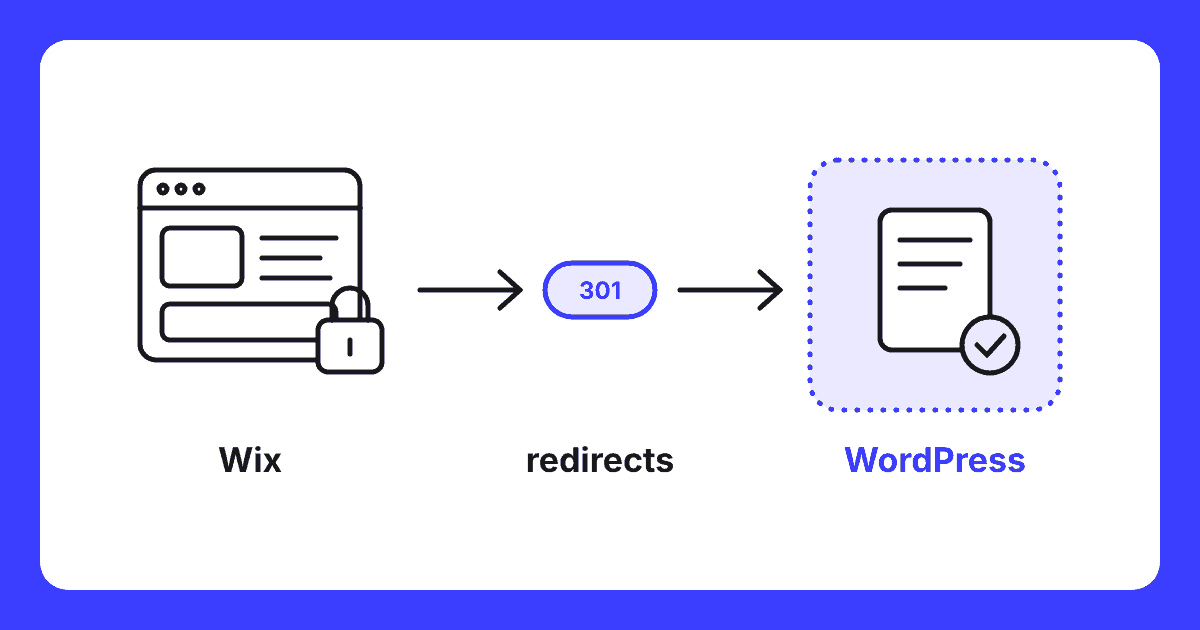
- Create the redirect plan: each old URL receives a 301 redirect to the correct new page based on content.
- Compare the new site with the baseline measurement: check for missing pages, titles, alt texts, internal linksInternal link An internal link is a link from one page on your site to another page on the same site. This is a link that you have complete control over yourself., and structured data.
- Switch the DNS and measure afterwards. Submit the new sitemap to Google Search Console and monitor rankings and 404 errors per page for the first few months. Only cancel your Wix subscription once everything is working.
The pitfall
Wix URLs: where most migrations go wrong
Wix uses fixed prefixes in your addresses. Blog posts are typically found under /post/ and products under /product-page/. These addresses do not automatically exist in WordPress. Without redirects, a visitor arriving via Google or an old link will land on an error page, and Google will see the page as gone.
That is why I create the redirect plan based on the baseline measurement, not on a guess. Each old URL receives a 301 redirect to the page that best matches its content. Pages that are merged will have one primary destination. Never redirect everything to the homepage: Google treats that as a vanished page. Very old Wix sites used addresses with #! in them. That part of an address does not reach the server, so you cannot catch those old links with a regular redirect.
Rule of thumb: a migrationMigration A migration is the process of moving a website to a new system, a new server, or a new address. without a complete redirect list almost always costs traffic. A migration with a good list maintains rankings and often gains because the new site is faster and cleaner.
Do it yourself or outsource
Do it yourself or have it done?
If you have a small site with a few pages, little traffic from Google, and no online shop, you can do it yourself using the steps above. Have it done if your site is crucial for your revenue, if you have an online shop or booking system on Wix, or if you get many visitors from search enginesSearch engine A website used to search the internet, such as Google or Bing.. The cost of a few months of lost traffic will quickly exceed the migration itself.
I have been working on websites since 1995 and manage Wix to WordPress migrations from start to finish. I build the new site using the building blocks inherent to WordPress, supplemented by my own custom blocks. This ensures you get a fast site without a heavy additional page builder, allowing you to later adjust text and photos yourself without breaking anything. Redirects, monitoring, and post-migration analysis are included as standard.
Questions
Frequently Asked Questions
Can I export my Wix website to WordPress?
Not in a single step. Wix operates exclusively on its own servers and lacks an export function for an entire site. Content must be transferred in stages: blog posts via RSS feed or manually, products via a CSV export, and pages by rebuilding them within WordPress. The design itself does not transfer.
How to migrate your Wix blog to WordPress?
The fastest route uses your Wix blog’s RSS feed, imported via WordPress’s RSS importer. Be aware, Wix limits this feed to 20 posts. For more, transfer older posts manually or with a paid migration tool. Always check images afterwards; otherwise, they will still link to Wix’s servers.
Will I lose my Google rankings if I switch from Wix to WordPress?
Not if you 301-redirect every old URL to the correct new page. Wix uses fixed prefixes such as /post/ for blog posts and /product-page/ for products. These addresses don’t exist by default in WordPress, so without a redirect list, visitors and Google will hit a 404.
Can I transfer my domain name from Wix?
Yes. If you purchased the domain through Wix, you request a transfer code and provide it to your new registrar. According to Wix, a domain purchased less than 60 days ago cannot yet be transferred. If your domain is already with another party and merely linked to Wix, you will need to adjust the DNS settings to point to your new hosting.
What happens to my Wix webshop when I switch to WordPress?
You export products from Wix Stores as a CSV file, with a maximum of 5,000 rows per file. According to Wix, digital products cannot be exported. You then import the CSV file into WooCommerce, after which you check variants, photos, and categories. Orders, customer accounts, and payment settings require a separate approach.
Free website scan
Do you want to know what a move from your Wix site will achieve?
I will review your current site, the Wix apps you use, and the URLs listed in Google. You will learn what needs to be transferred, what the risks are, and what the migration will cost.
You will know where you stand within two working days. No obligations.
Written by
