
Website Migration
Migrating Joomla to WordPress without losing rankings
Migrating a Joomla site can be quick, but maintaining your discoverability requires more than just a plugin. You’ll read when switching is advisable and which step-by-step plan I follow.
Joomla to WordPress
<g id=”gid_0″>In this article</g><x id=”gid_1″></x> <g id=”gid_2″> <x id=”gid_3″></x> <g id=”gid_4″><g id=”gid_5″>Why so many Joomla sites are switching now</g></g> <x id=”gid_6″></x><x id=”gid_7″></x> <g id=”gid_8″><g id=”gid_9″>Joomla or WordPress</g></g> <x id=”gid_10″></x><x id=”gid_11″></x> <g id=”gid_12″><g id=”gid_13″>What comes along?</g></g> <x id=”gid_14″></x><x id=”gid_15″></x> <g id=”gid_16″><g id=”gid_17″>Eight-step plan</g></g> <x id=”gid_18″></x><x id=”gid_19″></x> <g id=”gid_20″><g id=”gid_21″>Joomla URLs and redirects</g></g> <x id=”gid_22″></x><x id=”gid_23″></x> <g id=”gid_24″><g id=”gid_25″>Do it yourself or have it done?</g></g> <x id=”gid_26″></x><x id=”gid_27″></x> <g id=”gid_28″><g id=”gid_29″>Frequently Asked Questions</g></g> <x id=”gid_30″></x> </g> <x id=”gid_31″></x>
Why now
Why so many Joomla sites are switching now
Around 2010, Joomla was one of the largest systems for websites. Many associations, municipalities, and SMEs built their sites with it. That era is over. According to W3Techs, Joomla held over 9% of the CMS market in 2014, but only 1.7% in July 2026. Fewer users mean fewer developers, fewer maintained extensions, and fewer people who can maintain your site.
Then there’s the version pressure. Joomla 3 received its last security update in August 2023, and Joomla 4 in October 2025. Joomla 5 is still supported until October 2027. If your site runs on 3 or 4, you must take action regardless. An upgrade to Joomla 6 is often almost a rebuild, as old extensions and templates no longer work. At that point, the question is no longer whether you should move, but where to.
Short answer: if your site is on Joomla 3 or 4, you are running without security updates. The migrationMigration A migration is the process of moving a website to a new system, a new server, or a new address. to WordPressWordPress The world's most widely used system for building and managing websites. often costs about the same as upgrading to Joomla 6, and afterwards, you’ll have a much larger market of plugins, specialists, and hosting.
The consideration
Joomla or WordPress: an honest comparison
Joomla is not a bad system. It has multilingualism and user rights built-in as standard, which requires a plugin in WordPress. However, for most business sites, the disadvantages now outweigh the benefits.
- Management. WordPress’s block editorGutenberg The default WordPress editor where you build a page using individual blocks. is simpler for editors than the combination of articles, modules, and menu items in Joomla.
- Extensions. WordPress has tens of thousands of maintained plugins. Many Joomla extensions have not been updated since version 3.
- SEO and GEOGEO GEO stands for generative engine optimisation: increasing the likelihood that AI assistants such as ChatGPT recognise and mention your business when someone asks them for advice.. With plugins like Rank Math or Yoast, you can manage titles, structured dataStructured data Additional information in the code that tells search engines and AI exactly what is on a page., and sitemaps per page. This also makes it easier to be mentioned in AI responses.
- People. A WordPress specialist is easy to find. A good Joomla specialist is becoming scarce and therefore more expensive.
Stay on Joomla if your site works well on version 5 or 6, your extensions are maintained, and you have a dedicated party handling maintenance. In that case, moving is not a must.
The inventory
What comes along, and what needs to be redone?
The content itself can be transferred well. The functionality cannot: Joomla extensions do not work in WordPress. This is usually what the translation looks like.
- Articles and categories become posts or pages with categories. This is largely automatic.
- Images and documents are transferred to the media library. Afterwards, check the alt texts.
- Menus must be rebuilt. This is a good time to improve the structure.
- Modules become blocks, patterns, or widgets in the new theme.
- K2 usually becomes its own post type with fields via Advanced Custom Fields.
- VirtueMart or HikaShop becomes WooCommerce. Products can be transferred, but orders and customer accounts require extra attention.
- Forms such as RSForm or BreezingForms are rebuilt. This is not automatic.
- Multilingualism via Falang or Joomla language associations becomes WPML or Polylang. This is often where things go wrong: the language association between pages must be explicitly transferred.
Step-by-step plan
Migrating Joomla to WordPress in eight steps
- Perform a baseline measurementBaseline Measurement The measurement of the initial situation before any changes are implemented.. Record all URLs, with traffic, rankings, incoming links, titles, and descriptions. This is your benchmark for later.
- Create a full backup of files and the database, for example with Akeeba Backup.
- Set up WordPress on a test environment, not on your live domain.
- Import the content with FG Joomla to WordPress. The free version includes articles, categories, and images; the premium version also includes users, tags, K2, and more.
- Rebuild the theme, menus, and functions and replace each extension with a plugin or custom development.
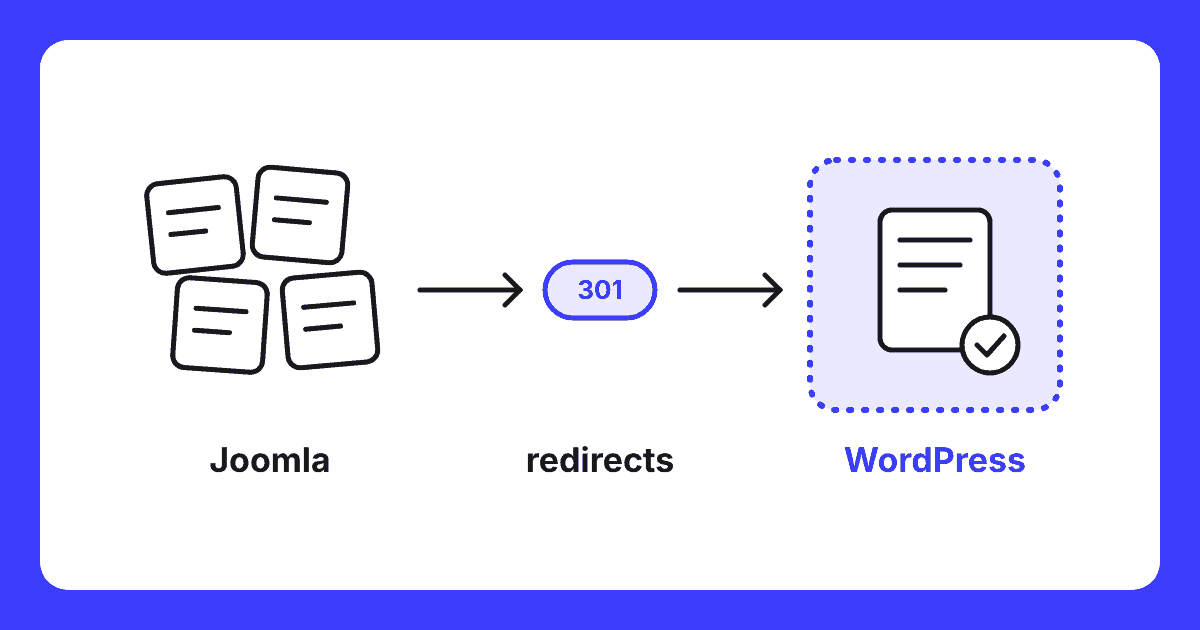
- Create the redirect plan: each old URL gets a 301 redirect to the content-appropriate new page.
- Compare the new site with the baseline measurement: missing pages, titles, alt texts, internal linksInternal link An internal link is a link from one page on your site to another page on the same site. This is a link that you have complete control over yourself., and structured data.
- Go live and measure afterwards. Submit the new sitemap to Google Search ConsoleGoogle Search Console A free service from Google that shows how your website is performing in search results. and monitor rankings and 404 errors per page for the first few months.
The pitfall
Joomla URLs: where most migrations go wrong
Joomla constructs URLs differently from WordPress. Depending on the settings, old addresses with index.php and an article ID, URLs with a category ID, or addresses ending in .html might still appear in Google. Often, multiple variants exist side-by-side. All these variants have accumulated links and rankings.
An import plugin transfers the content, but doesn’t know which old URL belongs to which new page. That’s why I create the redirect plan based on the baseline measurement and server logs, not just the sitemap. Pages that merge get one primary destination. Never redirect everything to the homepage: Google treats that as a disappeared page.
Rule of thumb: a migration without a complete redirect list almost always costs traffic. A migration with a good list maintains rankings, and often gains because the new site is faster and cleaner.
Do it yourself or outsource
Do it yourself or have it done?
If you have a small site primarily with articles, little traffic from Google, and no webshop, you can do it yourself using the steps above. Have it done if your site is important for your revenue, if it contains extensions like K2, VirtueMart, or Falang, or if you get a lot of visitors from search enginesSearch engine A website used to search the internet, such as Google or Bing.. The cost of a few months of lost traffic will quickly outweigh the migration itself.
I have been working on websites since 1995 and have built and managed many Joomla sites. Nowadays, I no longer perform Joomla maintenance, only migrations from Joomla to WordPress. I build the new site using the building blocks inherent in WordPress itself, supplemented with my own custom blocks. This way, you get a fast site without a heavy additional page builder, and you can later adjust texts and photos yourself without breaking anything. Redirects, checks, and post-migration analysis are all included as standard.
Questions
Frequently Asked Questions
Can I migrate my Joomla website to WordPress myself?
For a simple site with articles, categories, and images, this is possible using the free FG Joomla to WordPress plugin. However, as soon as extensions such as K2, VirtueMart, forms, multilingualism, or numerous inbound links are involved, the risk of losing rankings is high. In such cases, a migration involving a full inventory and a redirect plan is a worthwhile investment.
What does a Joomla to WordPress migration cost?
This depends on the number of pages, extensions, and features that require rebuilding. A small site with articles is a straightforward project. A site with a webshop, member area, or multiple languages requires more work. After an inventory, you receive a fixed price, ensuring you know exactly what to expect upfront.
Will I lose my Google rankings if I switch from Joomla to WordPress?
Not if every old URL points to the correct new page via a 301 redirect, and titles, descriptions, and structured data are migrated. Joomla often generates URLs containing IDs or index.php. These must be mapped individually. Skipping this step will cause traffic to drop in the weeks following launch.
Is upgrading to Joomla 6 not a better idea than switching?
Sometimes it is. If your site works well, your extensions are available for Joomla 6, and you have a dedicated Joomla specialist, then upgrading is a logical choice. However, if the site requires a substantial rebuild anyway, or if you find it difficult to source Joomla maintenance, this is the moment to move to WordPress. Compare the costs of both routes over three years, not just the project itself.
How long does a Joomla to WordPress migration take?
A simple site is typically migrated within two to four weeks, including inventory, redirects, and testing. Larger sites with custom features or multiple languages take longer. The old site remains online until the new one is verified, ensuring no disruption for your visitors.
Free website scan
Do you want to know what a migration of your Joomla site will achieve?
I will review your current site, its extensions, and the URLs listed in Google. You’ll learn what needs to be transferred, what the risks are, and what the migration will cost.
Within two working days, you’ll know where you stand. No obligations.
Written by
