
Website migration
Migrating an online shop to WooCommerce: what do you need to consider?
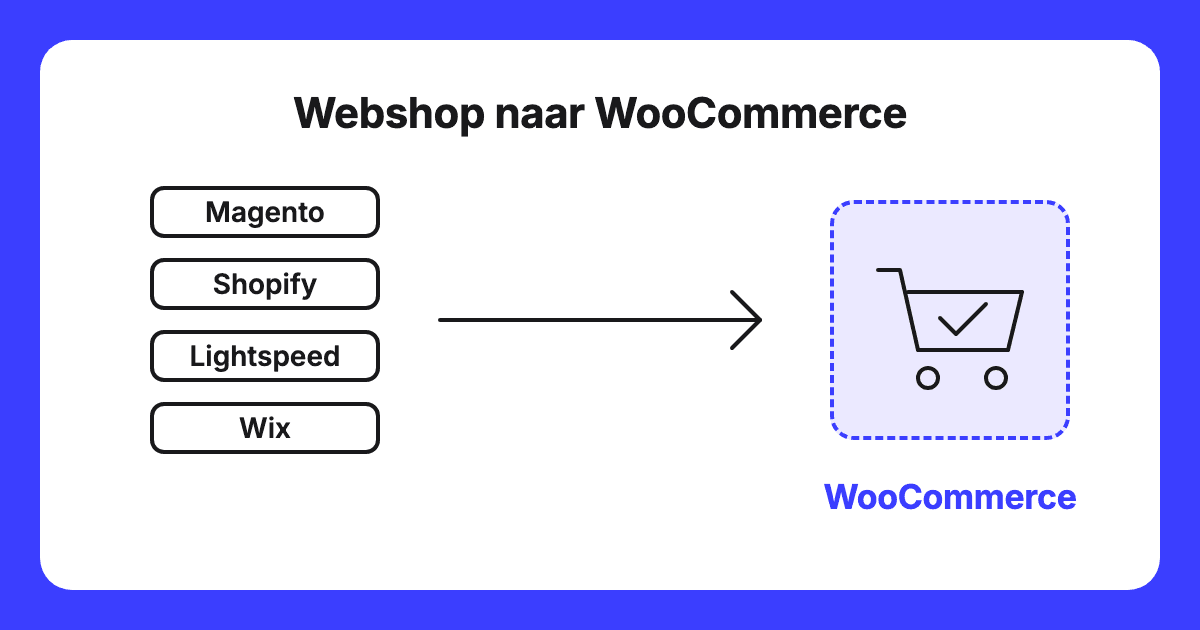
Migrating an online shop to WooCommerce means moving your products, customers and orders to WordPress. Pay particular attention to passwords, old URLs and product IDs. This article is written for Dutch SME online shop owners. According to Google, keep redirects in place for at least 1 year. If your shop is performing well and you have no clear reason to move, leave it as it is.
To WooCommerce
In this article
- What carries over automatically?
- Do passwords carry over?
- Maintaining discoverability
- Product IDs and integrations
- Payment and shipping integrations
- Orders and plugins
- What does the shop run on?
- Costs and ownership
- Past orders and customer data
- Differences per platform
- When is Magento worthwhile?
- A Magento import in practice
- When is it better not to?
- How do I approach it?
- How do I begin?
- Checklist
- Frequently asked questions
- Products are transferred using WooCommerce’s built-in importer; orders, customers, discount codes and reviews are not mentioned on that importer’s page.
- Passwords do not transfer from Shopify and Magento via the WooCommerce extensions. Plan a message to your customers.
- Create a mapping of old to new URLs and set up redirectsRedirect An automatic redirection from an old web address to a new address..
- If you change a product ID, according to Google you overwrite the product and its history in Merchant Center.
Google Search Central, site moves with URL changes, consulted 19 November 2026
WooCommerce, product CSV importer guide, consulted 19 November 2026
WooCommerce, Shopify migration extension, consulted 19 November 2026
WooCommerce, Magento migration extension, consulted 19 November 2026
Google Merchant Center, product ID, consulted 19 November 2026
What carries over
What transfers automatically and what does not?
The built-in WooCommerce importer is intended for products. It reads a CSV file, a table formatted as a plain text file. Variations, such as size or colour, appear on separate lines and must match the parent product. Images are imported from a web URL into the media library, but the importer does not add or update alt text. Therefore, plan those alt texts separately. A newly imported product does not receive an ID of your own choosing. A large catalogue should be imported in batches, as server memory and upload limits set the boundary.
Orders, customers, discount codes and reviews are not listed on the importer’s page. The WooCommerce guide for Shopify notes that order lines with variations or refunds may transfer incorrectly or go missing, payment details do not carry over, and discount codes may not be imported accurately. Check that documentation to see which migrationMigration A migration is the process of moving a website to a new system, a new server, or a new address. method this applies to. Spot-check orders and discount codes afterwards.
WooCommerce, product CSV importer guide, consulted 19 November 2026
WooCommerce, migrating from Shopify guide, consulted 19 November 2026
Passwords
Do my customers’ passwords carry over?
That depends on your platform.
Shopify: WooCommerce states that it cannot transfer passwords from Shopify. The extension explains that Shopify does not pass on password data for security reasons.
Magento: the extension states the same regarding Magento. Magento’s customer export does include a column called Password hash. A hash is a computed code rather than the password itself. Whether WooCommerce can use it has not been confirmed; do not rely on it.
Lightspeed eCom: passwords are not included in the list of exportable data.
If passwords do not carry over, expect customers who are unable to log in. Decide in advance when you will email customers, what the password reset email will state, and who will answer support enquiries. Customer email addresses must be unique, otherwise the import may fail or overwrite existing accounts.
WooCommerce, migrating from Shopify guide, consulted 19 November 2026
WooCommerce, Shopify migration extension, consulted 19 November 2026
WooCommerce, Magento migration extension, consulted 19 November 2026
Adobe, Magento customer export attributes, consulted 19 November 2026
Lightspeed eCom, exporting data, consulted 19 November 2026
Discoverability
How do I maintain my discoverability?
A redirect sends visitors and Google from an old URL to the new one. Shopify and WooCommerce use different URL structures. Shopify uses the fixed paths /products and /collections, which cannot be redirected within Shopify itself. WooCommerce defaults to product-category for categories and advises against removing it from the URL. With Magento, you extract the old URLs from your own shop. With Wix and Shopify, redirect options may be limited.
Here is what Google states regarding a site move with URL changes:
- According to Google, a permanent redirect does not result in a loss of PageRank, the value Google assigns to a page based on links.
- Keep redirects in place for as long as possible, typically at least 1 year.
- Expect temporary fluctuations in your rankings.
- For small to medium-sized sites, it may take several weeks for most pages to be transferred.
- Create a mapping of old to new URLs, submit the new sitemap, and monitor everything in Search ConsoleGoogle Search Console A free service from Google that shows how your website is performing in search results..
- Change one thing at a time.
Do not combine the migration with a new corporate identityCorporate Identity The visible design of a brand: logo, colours, typography, visual language and their consistent applications. or rewritten copy. Eazyonline (18 October 2026) recommends only including pages that load without errors or redirects (status codeStatus Code A three-digit code used by a server to indicate whether a page has been found. 200, indicating a successful request) in the sitemap and monitoring them closely for the first 72 hours.
WooCommerce, migrating from Shopify guide, consulted 19 November 2026
Shopify, URL redirects, consulted 19 November 2026
WooCommerce, permalinks, consulted 19 November 2026
WooCommerce, removing product-category from URLs, consulted 19 November 2026
Google Search Central, site moves with URL changes, consulted 19 November 2026
Eazyonline, online shop migration checklist for SMEs, consulted 19 November 2026
Product IDs
What happens to product IDs and my integrations?
A product ID is the reference number by which a product is identified, for example by Google. In Merchant Center, the platform where product feeds are submitted, Google specifies that you should use a stable ID per product and that changing an ID overwrites the product and its performance history. In addition, the Google for WooCommerce extension prepends the letters gla_ (an extension prefix) to the ID, turning 23 into gla_23. The documentation outlines what happens if you remove that prefix: historical campaign reports will no longer align. While this is not explicitly stated for migrations, my conclusion is that a changed ID following a migration produces the same outcome. Agree beforehand on the ID Google currently uses and what it will become.
For your analyticsGoogle Analytics A free measurement tool from Google that tracks how many visitors your site has and what they do., consider this key check: Google Analytics transmits two parameters alongside purchases: item_id, the product code, and transaction_id, the order code. Will these values remain consistent with their current format following the migration?
List every integration: product feeds, tracking, cookie consent, accounting, shipping and reviews. Eazyonline highlights tracking, consent and purchase measurement as elements that must be retested after the transition. For each integration, note whether a WooCommerce alternative exists and who will test it.
Google Merchant Center, product ID, consulted 19 November 2026
WooCommerce, Google for WooCommerce FAQ, consulted 19 November 2026
Google Analytics, measuring ecommerce, consulted 19 November 2026
Eazyonline, online shop migration checklist for SMEs, consulted 19 November 2026
Payments and shipping
Which payment and shipping integrations do I need?
Mollie, Stripe and MultiSafepay each have dedicated WooCommerce plugins supporting iDEAL. A plugin is an add-on installed within WordPressWordPress The world's most widely used system for building and managing websites.. Pay. and Buckaroo also provide their own plugins. If you use a different provider, verify whether they offer an official WooCommerce plugin.
iDEAL.nl announced on 28 October 2025 that iDEAL is gradually transitioning to Wero, requiring payment providers to update their platforms in good time. EPI, which issued the release regarding Wero, indicated in July 2026 a target completion date of no later than 31 December 2027, noting that the checkout experience will remain broadly similar. Check with your payment provider what is expected on your end.
MyParcel offers a plugin for PostNL and DHL. Sendcloud deprecated its legacy WooCommerce plugin on 15 April 2025; it is no longer available to download. Request the updated integration, WooCommerce V2.
Have your accountant review the VAT settings in the new shop.
WordPress.org, Mollie plugin, consulted 19 November 2026
Mollie, getting started with WooCommerce, consulted 19 November 2026
WordPress.org, Stripe plugin, consulted 19 November 2026
WordPress.org, MultiSafepay plugin, consulted 19 November 2026
WordPress.org, Buckaroo plugin, consulted 19 November 2026
Pay., WooCommerce documentation, consulted 19 November 2026
iDEAL.nl, migration to Wero, consulted 19 November 2026
EPI, next steps from iDEAL to Wero, consulted 19 November 2026
WordPress.org, MyParcel plugin, consulted 19 November 2026
WordPress.org, legacy Sendcloud plugin, consulted 19 November 2026
Orders
What do I need to know about orders and plugins?
High-Performance Order Storage (HPOS) is an improved database architecture for WooCommerce orders. According to the documentation, HPOS is enabled by default for fresh installations since WooCommerce 8.2 (October 2023). Extension developers must build explicit compatibility for HPOS. Any extension lacking this support may not function properly with this storage method. Verify whether each plugin supports HPOS, and select an alternative if uncertain.
WooCommerce documentation on HPOS, consulted 19 November 2026
Hosting
What infrastructure does the shop require?
Check with your hosting provider regarding PHP version, database configuration and memory limits, and compare these with WooCommerce’s requirements. Exclude the cart, My Account and Checkout pages from caching, which serves static copies to speed up loading. Cart and checkout pages display content unique to each visitor. An endless loading spinner at checkout can stem from multiple factors; caching is a primary one. Measure load time before and after the migration using the same method.
WooCommerce, server requirements, consulted 19 November 2026
WooCommerce, configuring caching plugins, consulted 19 November 2026
WooCommerce, pages not displaying correctly, consulted 19 November 2026
WooCommerce, endless loading spinner at checkout, consulted 19 November 2026
Costs
What does it cost and who retains ownership?
Core WooCommerce is open source and free. The remaining aspects incur costs: hosting, paid extensions, data migration, ongoing maintenance and your own time. Agree on who will handle updates and security, and request a quote that breaks down these line items individually.
My fee for a migration is available on enquiry. Pricing depends on the number of products and variations, the number of integrations, and the volume of old URLs in the redirect map. Customer accounts and order history can be migrated upon request for an additional fee.
WordPress.org, WooCommerce plugin, consulted 19 November 2026
Administration
What should I arrange for past orders and customer data?
The Dutch Tax Administration requires you to retain business records for 7 years. For supplies and services falling under schemes such as the One Stop Shop (OSS, the VAT arrangement for sales to consumers in other EU countries), a 10-year period applies. Therefore, export your past orders before cancelling your old platform, and verify your specific obligations with your accountant. If customer records are migrated, the service provider will be processing personal data. The Dutch Data Protection Authority specifies that a data processing agreement is legally required whenever a party processes personal data on your behalf (Article 28(3) GDPR). Conclude this agreement before sharing any data.
Dutch Tax Administration, record retention requirements, consulted 19 November 2026
Dutch Data Protection Authority, data processing agreement, consulted 19 November 2026
Platform comparison
What differs by platform?
Shopify: the WooCommerce extension is documented to migrate products, categories, orders, discount codes, customers, pages and blog posts. Reviews are not listed.
Magento: the WooCommerce extension supports Magento 2 only, migrating products, customers and orders. Alternatively, the FG Magento to WooCommerce plugin migrates products and pages.
Lightspeed eCom: you can export data including customers, orders, products, redirects and newsletter subscriptions.
WooCommerce, migrating from Shopify guide, consulted 19 November 2026
WooCommerce, Shopify migration extension, consulted 19 November 2026
WooCommerce, Magento migration extension, consulted 19 November 2026
WooCommerce, Magento migration product page, consulted 19 November 2026
WordPress.org, FG Magento to WooCommerce plugin, consulted 19 November 2026
Lightspeed eCom, exporting data, consulted 19 November 2026
Magento
When is Magento worthwhile?
Magento is a highly specialised platform requiring significant server resources. As a result, maintenance, hosting and software are costly: you pay for specialist developers, dedicated infrastructure, and premium extensions and licences.
In my experience, Magento is rarely justified below approximately €100,000 in turnover a year. If you reach that level, Magento may well be appropriate, and I will say so plainly. Below that threshold, the overhead outweighs the benefits. WordPress with WooCommerce does not incur those particular expenses, though standard costs such as hosting, extensions and maintenance still apply (see above).
Practical case
What did a real-world Magento migration reveal?
I audited a staging copy of a hospitality tableware shop that had previously been moved to WooCommerce via a Magento import plugin. Neither orders nor customer accounts were present in that copy. It was impossible to verify whether they were missed during import or removed later. The lesson: inspect customer accounts and order records immediately after importing, as our audit could not confirm whether they had ever been migrated.
When to stay
When is it better not to migrate?
I advise against migrating in three specific scenarios:
- Your shop is performing well and you cannot define a specific business reason to migrate.
- You run on Magento and turn over approximately €100,000 a year or more: in my experience, you are better off staying where you are.
- A critical integration lacks a WooCommerce equivalent and has no suitable alternative.
Method
How do I approach an online shop migration?
I structure an online shop migration into four stages, aligned with my dedicated WooCommerce services page.
- Auditing current assets. Before making any changes, I take a baseline measurementBaseline Measurement The measurement of the initial situation before any changes are implemented. of rankings, load time and URLs, and catalog products, categories, integrations and existing paths.
- Data transfer. I migrate products and categories. The legacy shop continues running untouched until the actual cutover. Customer accounts and order histories can be migrated on request, for an additional fee.
- Redirecting legacy URLs. I compile the URL redirect map, pairing every old address with its exact new equivalent, then deploy the 301 redirects. Options may be more constrained on Wix or Shopify.
- Post-launch verification. I test payments, shipping rules and transactional emails with dummy orders before launch. Afterwards, I audit rankings and load time against the original baseline measurement.
I back up everything before making changes, and nothing goes live without your sign-off.
I do not provide rankingPosition Your position is the place your website holds in the search results for a specific keyword. Position 1 is the top organic result. guarantees. Google itself states that temporary fluctuations should be expected.
Google Search Central, site moves with URL changes, consulted 19 November 2026
Next steps
How do I get started, and how do I request a quote?
The starting point for an online shop is the shop audit: I evaluate the checkout flow, payments, load time, mobile usability and security. You can request this via /contact/, where you can also enquire about migration pricing. If you prefer to evaluate your search discoverability first, take our free website scan at /wat-wij-zien/: ten practical questions regarding your business and audience, followed by a review personally compiled by me with three actionable recommendations within two working days. This scan excludes checkout and payment testing. Service details are available at /woocommerce/.
Checklist
What needs checking before, during and after the migration?
Before the migration
- Record a baseline measurement of rankings, load time and URLs.
- Prepare a complete URL redirect map from old to new addresses.
- List all integrations and designate who will test each one.
- Agree on the product ID Google Merchant Center currently references and how it will be mapped.
- Ensure that all customer email addresses are unique.
- Notify customers regarding password resets if required by your platform.
- Have your accountant review your VAT configuration.
- Export your past order records.
- Execute a data processing agreement.
- Avoid making any other major site changes simultaneously.
On launch day
- Test payment processing, shipping options and automated emails with test orders.
- Confirm that the cart, My Account and Checkout pages are excluded from caching.
- Deploy the URL redirects and submit the new XML sitemap.
- Keep the legacy shop fully operational until this point.
In the following weeks
- Monitor ranking trends and crawl errors in Google Search Console.
- Retain redirects indefinitely, or at least for a minimum of 1 year.
- Compare post-launch load time with your initial baseline measurement.
- Handle customer enquiries regarding account logins.
- Verify that transaction data arrives in Google Analytics and Merchant Center with consistent parameters.
Questions to ask your migration specialist
- Which exact data types will be migrated, and how will order integrity and discount codes be validated?
- Will existing user passwords function seamlessly within WooCommerce?
- Is every proposed plugin fully compatible with HPOS?
- Who will configure and test payment and carrier integrations?
- Who will take responsibility for software updates and security patches following launch?
Google Search Central, site moves with URL changes, consulted 19 November 2026
Questions
Frequently asked questions about migrating an online shop to WooCommerce
Is Magento worth it?
Short answer: in my experience, only from around €100,000 in revenue a year. Magento is highly specialised and requires a heavy-duty server, which makes maintenance, management, and software expensive. If you achieve that revenue, Magento may well be suitable.
What happens to my product IDs in Google Merchant Center?
Short answer: a changed ID counts as a new product. According to Google, a changed ID overwrites the product and its history. Agree in advance which ID Google currently uses and what the new ID will be.
What is happening to iDEAL?
Short answer: iDEAL is gradually transitioning to Wero. Ask your payment provider what they require from you. iDEAL.nl reported on this transition on 28 October 2025. EPI, the organisation that published the announcement regarding Wero, stated in July 2026 that the target completion date is 31 December 2027 at the latest.
Will customers need to reset their passwords?
Short answer: with Shopify and Magento they likely will, while with Lightspeed eCom, passwords are not included in the export list. WooCommerce states that passwords are not transferred via the extensions for Shopify and Magento, and with Lightspeed eCom, passwords are not in the list of data you can export. You should therefore expect customers to be unable to log in and email them in advance.
Shop audit
Would you like to know if your shop can be migrated?
The standard entry point is our online shop audit: I evaluate checkout, payment processing, load time, mobile performance and security.
Written by
