
Website migration
Elementor to Gutenberg: switching without breaking your site
Switching from Elementor to Gutenberg is worthwhile if you mainly manage text and images and want a faster site. I build on a closed test domain first, no cure no pay on delivery.
Elementor to Gutenberg
In this article
Explanation
Why do sites switch from Elementor to Gutenberg?
GutenbergGutenberg The default WordPress editor where you build a page using individual blocks. is the standard WordPress editor. It works with building blocks, also known as blocks: a heading, a paragraph, a photo, a button. These are built into WordPress itself and you do not need to buy anything for them. Further on, I refer to these as the WordPress building blocks.
ElementorPage builder An additional program in WordPress that allows you to build pages by dragging and dropping components. is different: a page builder from the company of the same name, which runs as a plugin on top of WordPress. It is very popular. Elementor itself states that it powers more than 22 million sites. This popularity also means that many sites rely on a single provider.
The question I hear most often is not whether Elementor is bad. It is whether your site still needs it. Those who want to keep moving the layout themselves benefit greatly from it. Those who mainly maintain texts, news and photos pay with speed and dependency for features they do not use.
I made this switch myself with eqwise.nl, back then from Divi. You can read how that turned out in my article about Divi to Gutenberg.
Storage
Where does Elementor store your pages?
Short answer: Elementor stores the structure of a page in its own field in the database, separate from the regular text of the page. Only Elementor can read that field.
That is the main difference with the WordPress building blocks. A block exists as regular HTML within the page itself, with a short note around it stating which block it is. If you remove a block plugin, the content remains readable.
Elementor works differently. The entire design, with sections, columns, widgets and settings, is stored as a data tree in a separate field named _elementor_data. Unlike with Divi 4, you do not see loose codes in your text. But the layout only exists as long as Elementor is there to build it.
For a migrationMigration A migration is the process of moving a website to a new system, a new server, or a new address., this means: your texts and images are not lost, but the formatting does not transfer automatically. You rebuild every page.
The pitfall
What happens if you deactivate Elementor?
This is the step where things go wrong for those who want to move too fast. If you turn off Elementor on a live site, the structure of every Elementor page disappears instantly. What you see then varies per site: older experiences describe bare text without formatting, more recent guides describe pages that are virtually empty. In both cases, your site is no longer usable at that moment.
Then there is Elementor Pro. Everything you created with Pro will also stop working:
- Forms no longer send anything. You often only notice a contact form that has quietly stopped working after several days.
- Headers and footers from the Theme Builder disappear, and with them often your menu.
- Templates for posts, archives and product pages no longer work.
- Pop-ups and dynamic overviews of posts or products disappear.
Data also remains behind after removal: the field with the structure, generated style files and settings. You clear these up deliberately after the new site has been checked.
Rule of thumb: Elementor is the very last thing to leave the site, only once every page, every form and the header and footer have been rebuilt and checked.
InstaWP, what breaks upon deactivation, updated 25 August 2026
Elementor 4
Does Elementor 4 solve the problem?
Elementor has rewritten the editor. Version 4, also known as the Atomic Editor, works with new components that, according to Elementor, result in fewer redundant layers of code. You can define classes and variables in it, so that colours and fonts are in one place. Since April 2026, this version has been enabled by default on every new Elementor site.
For existing sites, it is different. Elementor itself writes that nothing changes on your existing pages during an update. Old widgets remain old widgets until you replace them one by one. Components such as Grid and Loop are not yet available in the new form. And classes and variables do not work on the old widgets.
That is a real improvement for new sites. But anyone wanting to speed up an existing Elementor site must also rebuild pages within Elementor. And Elementor 4 remains a product from a single provider. If you are rebuilding anyway, the question is what to build in.
Elementor, frequently asked questions about version 4, accessed 17 November 2026
Speed
Is a site faster without Elementor?
Short answer: usually, yes. Elementor loads its own styles and scripts and places extra layers around your content. How much difference it makes varies per site.
There is a large-scale public measurement: the Core Web Vitals Technology Report from HTTP Archive. This looks at real visitors to millions of sites and counts how many sites score well on all three Core Web VitalsCore Web Vitals Three Google metrics that indicate how fast and user-friendly a page is for visitors.. In June 2026, 36.8% of Elementor sites succeeded on mobile, compared to 48.8% of all WordPress sites.
Be careful with that. This is a comparison between groups of sites and not a test on a single site. Hosting, images and extra plugins also count. I have not yet published a specific measurement of an Elementor site before and after the switch. My own tests concerned Divi; those can be found in the article about Divi to Gutenberg.
That is why I measure every switch in the same way before the first change and after completion. Then you see the difference on your own site, and you do not have to rely on averages.
Honest advice
When is it better to stay on Elementor?
Rule of thumb: stay on Elementor if you want to keep adjusting the layout and design yourself. Choose the WordPress building blocks if you mainly manage text and images.
If you build landing pages yourself, move sections around and want to create new layouts without calling anyone, then Elementor is made for that. A switch will not help you there. If your site runs well, is fast enough and you are not bothered by the dependency, then moving is not a must.
Do you mainly manage texts, news items and photos, and do you want a fast, calm site where you cannot break anything? Then Elementor to Gutenberg is a better fit. With my own building blocks, EQwise Blocks, components are added that the standard building blocks lack: a central library for frequently asked questionsFAQ A list of frequently asked questions and concise answers, usually on a separate page or at the bottom of a page., forms with spam protection, tabs and a logo scroller.
What does Elementor cost?
The price is not a strong argument, but do count it. Elementor itself is free. Elementor Pro costs 60 dollars a year for one site with a limited package, 84 dollars for one site with all components and 204 dollars for 25 sites. The Elementor One package costs 180 dollars the first year and 228 dollars a year thereafter (prices checked on 29 October 2026, excluding VAT). It remains an annual subscription: without renewal, you no longer receive updates.
Approach
What is transferred during Elementor to Gutenberg, and how does it proceed?
What remains unchanged?
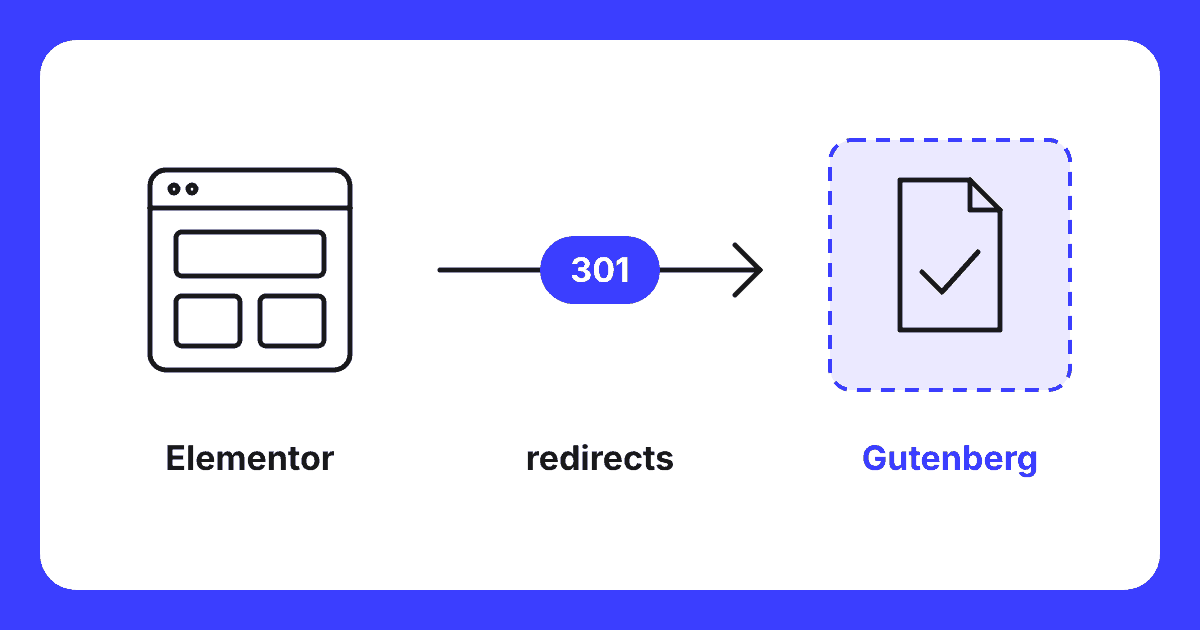
A switch from Elementor is a smaller move than a platform change. You stay on WordPress, so your posts, media, users and SEO data remain. Addresses stay the same where possible. If an address remains the same, no redirect is needed. If an address does change, it receives a 301 redirect to the new page.
There are plugins that automatically convert Elementor pages. On simple pages with mainly text and images, they can save time. On pages with widgets, dynamic content or custom CSS, they do not work reliably. I use them at most as a starting point, never as the final result.
In which steps do I work?
The existing site continues to run unchanged until the conversion. I build the new version alongside it and compare every step against the old one.
- Baseline measurementBaseline Measurement The measurement of the initial situation before any changes are implemented. before the first change: URLs, positionsPosition Your position is the place your website holds in the search results for a specific keyword. Position 1 is the top organic result., speed and inbound links, so you can compare later.
- Inventory of Elementor: which pages, templates, forms, pop-ups and widgets are actually in use.
- Define corporate identityCorporate Identity The visible design of a brand: logo, colours, typography, visual language and their consistent applications. in one place: colours, fonts and spacing.
- Transfer text word for word and verify with a text comparison, so nothing quietly disappears.
- Rebuild pages with the WordPress building blocks.
- Recreate header, footer, templates and forms, and actually test every form.
- Check everything against the baseline measurement, including titles, alt texts and internal linksInternal link An internal link is a link from one page on your site to another page on the same site. This is a link that you have complete control over yourself..
- Only then remove Elementor and clean up the remaining data.
What the migration costs and how long it takes depends on the number of pages and components. The pricing is on enquiry: you will hear the fixed price after I have analysed what needs to be done. Read more about the approach on my page about website migration.
Choice
Do it yourself or outsource?
You can do it yourself if you have a small site, do not use Elementor Pro and have time. In that case, work on a copy of your site, make a baseline measurement and only deactivate Elementor once everything has been rebuilt.
Outsourcing is wise if you have a webshop, forms, templates from the Theme Builder or many pages, or if you do not want the old site to lose anything during the move. In doubt? Start with a free website scan. Then you will know where you stand before you choose.
Guarantee
What do I pay if the migration goes wrong?
No cure no pay on delivery: if I cannot transfer your site completely, you pay nothing. After analysis and your agreement on the fixed price, you pay 30% as an initial part. I build the site on a private test domain and count URLs, pages, images, redirects, forms and languages before and after the move: the final count. If the final count is incorrect, you get the initial part back. Upon your approval and a correct final count, you pay 50% and the site goes live.
I will restore, free of charge, any page from the baseline measurement that disappears from the index due to a migration error within eight weeks of going live, or drops more than ten places from the top 10. I determine this using the baseline measurement and you will be shown the measurement. I invoice the final 20% after those eight weeks, or in the case of restoration, only once the page is back within the limit.
Not covered: Google updates, seasonality and changes after going live by you or others; I also do not promise money back on positions. If you stop for another reason, such as pulling out or rejecting based on taste, the initial part remains payable. See website migration and pricing.
Questions
Frequently asked questions about Elementor to Gutenberg
Kan ik van Elementor naar Gutenberg met één knop?
Kort antwoord: nee. Er is geen knop die een Elementor-pagina betrouwbaar omzet naar de bouwstenen van WordPress. Er bestaan plugins die het proberen, maar die werken alleen op eenvoudige pagina’s met vooral tekst en beeld. Elke pagina wordt dus opnieuw opgebouwd. Je teksten gaan woord voor woord mee en ik controleer dat met een tekstvergelijking, zodat er niets stil verdwijnt.
Wat gebeurt er met mijn pagina’s als ik Elementor uitschakel?
Kort antwoord: de opbouw van de pagina verdwijnt. Elementor bewaart de indeling in een eigen veld in de database, niet als bouwstenen in de pagina zelf. Zonder Elementor kan WordPress die indeling niet tonen. Wat overblijft is hooguit kale tekst zonder opmaak. Schakel Elementor daarom pas uit als elke pagina opnieuw is opgebouwd en gecontroleerd, en doe dat eerst op een testomgeving.
Lost Elementor 4 het probleem op?
Kort antwoord: deels. Elementor 4, ook wel de Atomic Editor genoemd, maakt nieuwe onderdelen met minder overbodige code. Sinds april 2026 staat die versie standaard aan op nieuwe Elementor-sites. Bestaande sites veranderen niet vanzelf: oude onderdelen blijven oude onderdelen tot je ze vervangt. En Elementor 4 blijft een los product van één leverancier. De afhankelijkheid blijft dus bestaan.
Wordt mijn site sneller zonder Elementor?
Kort antwoord: vaak wel, maar niet gegarandeerd. Elementor laadt eigen stijlen en scripts en zet extra lagen om je inhoud heen. Een pagina met de bouwstenen van WordPress heeft die laag niet. Hoeveel het scheelt, hangt af van je thema, je hosting, je afbeeldingen en de extra plugins. Daarom meet ik vóór de overstap en daarna op dezelfde manier, en beloof ik geen vast percentage.
Wat gebeurt er met mijn Elementor Pro-formulieren, pop-ups en kop en voet?
Kort antwoord: die moeten opnieuw gemaakt worden. Formulieren, pop-ups en de kop en voet uit de Theme Builder van Elementor Pro werken niet meer zodra Elementor weg is. Ik maak ze opnieuw voordat Elementor wordt uitgeschakeld: formulieren met spambescherming zonder externe diensten, en een kop en voet in het thema zelf. Zo ligt er nooit een dag zonder werkend contactformulier.
Free website scan
Want to know what a switch from your Elementor site benefits you?
I look at your current site, the Elementor components you use and the URLs listed in Google. You will hear what needs to be transferred, what the risk is and what the migration costs.
Within two working days you will know where you stand. No obligations.
Written by
