
Website migration
Comparing CMS: stay or switch to WordPress?
WordPress runs more than four out of ten websites. This is how Joomla, Drupal, Wix, Squarespace and Webflow compare, and how to know if staying or switching is smarter.
Comparing CMS with WordPress
In this article
The figures
How large is each CMS?
W3Techs measures daily which system is behind websites. These are the shares of all websites worldwide, measured in 2026.
- WordPressWordPress The world's most widely used system for building and managing websites.: approximately 42% of all websites, nearly 60% of sites with a known CMSCMS A program that allows you to manage your website's text and pages yourself, without any programming knowledge..
- Wix: approximately 4%, the fastest-growing website builder.
- Squarespace: approximately 2.5%.
- Joomla: approximately 1.3%, declining for years.
- Webflow: approximately 0.8%, stable.
- Drupal: approximately 0.7%, also declining.
The picture is clear: open source systems alongside WordPress are shrinking, while website builders are growing. That market share is not about winning awards. It determines how many developers, extensions and knowledge are available, and therefore what build and management costs you.
Open source
Joomla and Drupal: yours to own, but shrinking
Joomla and Drupal are open source, just like WordPress. You own the database and the files yourself, so you are not tied to anything. The problem lies in the versions. Joomla 4 received its last security update in October 2025 and Joomla 5 follows in October 2027. Drupal 7 has not been supported since 5 January 2025. Yet a large proportion of existing sites still run on those old versions.
An upgrade to Joomla 6 or Drupal 11 from such an old version is not a simple push of a button, but a new build with a content migrationMigration A migration is the process of moving a website to a new system, a new server, or a new address.. Since you are rebuilding anyway, this is the moment to reconsider the platform as well. Read more in Migrating Joomla to WordPress and Migrating Drupal to WordPress.
Short answer: if you are running Joomla 3 or 4, or Drupal 7, your site no longer receives security updates and must be rebuilt regardless. Drupal remains the better choice for truly complex data structures.
Website builders
Wix, Squarespace and Webflow: online quickly, but closed
Website builders are designed to get online quickly and without technical knowledge. The provider handles hosting, security and updates. You pay monthly for this, and you rent the site instead of owning it.
- Wix does not have a full export. Blog posts can be retrieved, but pages and design must be rebuilt. See Migrating Wix to WordPress.
- Squarespace provides an export file with pages and blog, but not everything is included. See Migrating Squarespace to WordPress.
- Webflow gives you CMS collections as CSV, but the site structure remains with Webflow. See Migrating Webflow to WordPress.
For a small site that does not need to grow, that is fine. If you want more visitors from Google and AI assistantsAI Assistant An AI assistant is a chat program such as ChatGPT, Claude, Gemini, or Perplexity that you can ask a question in natural language and receive a written answer., custom integrations or multiple languages, you will run into the limits of the platform.
The trade-off
Five criteria that really matter
- Ownership. With WordPress, Joomla and Drupal, you have everything in your own hands. With a website builder, you do not: if your subscription stops, your site stops.
- Long-term costs. A website builder is cheap to start with. With WordPress, you pay for hosting and maintenance, but you choose your own provider and are not tied to the prices of a single party.
- Expandability. WordPress has by far the largest range of plugins and specialists. With Joomla and Drupal, that range becomes smaller every year.
- SEO and GEOGEO GEO stands for generative engine optimisation: increasing the likelihood that AI assistants such as ChatGPT recognise and mention your business when someone asks them for advice.. In WordPress, you manage titles, structured dataStructured data Additional information in the code that tells search engines and AI exactly what is on a page., sitemaps and redirects per page. This helps in Google and with being mentioned in AI answers.
- Speed. Depends less on the platform than on how the site is built. A WordPress site with the block editor and without a heavy page builder can be very fast.
The decision
When to stay, when to switch?
Stay if your site still receives security updates, works well and you have no plans that the system prevents. Also if you use Drupal for complex data with many editors.
Switch if your version no longer receives security updates, if you find it difficult to find a developer, or if your website builder holds you back regarding discoverability, integrations or multi-language support.
Rule of thumb: if you have to rebuild anyway, switching to WordPress often costs no more than staying, and management is cheaper afterwards.
The switch
How a switch proceeds without loss
Whichever system you leave, the pattern is always the same. The difference lies in how you get the content out.
- Create a baseline measurementBaseline Measurement The measurement of the initial situation before any changes are implemented. of all URLs, with traffic, positionsPosition Your position is the place your website holds in the search results for a specific keyword. Position 1 is the top organic result. and inbound links.
- Retrieve the content: from the database for Joomla and Drupal, via export or in parts for a website builder.
- Build the new site on a closed test domain.
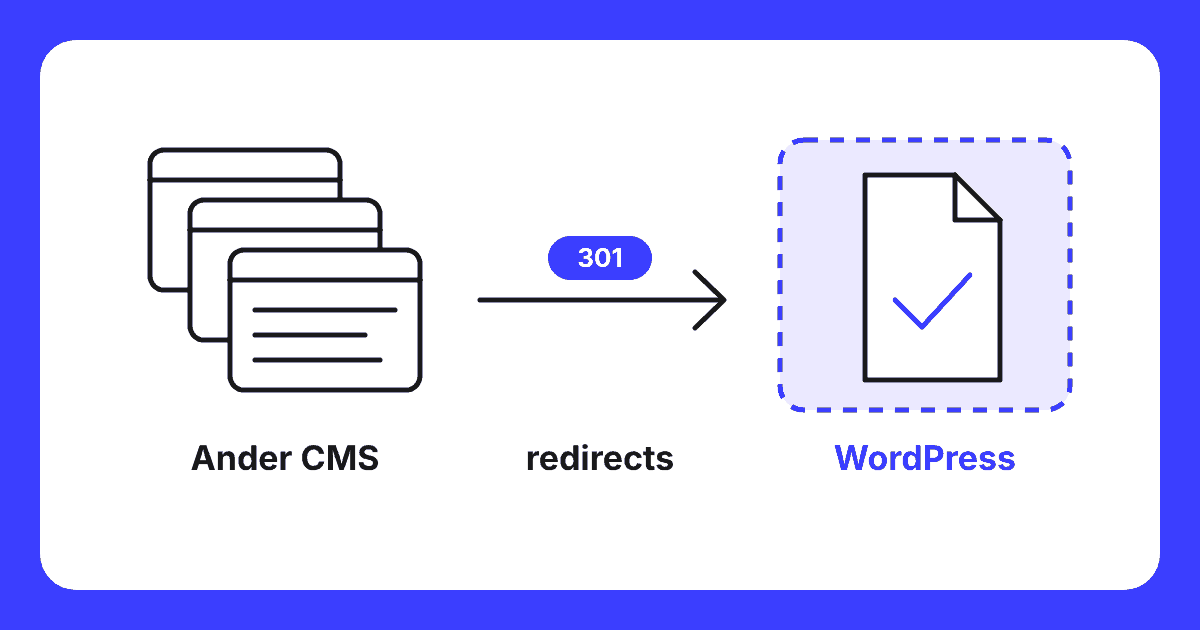
- Give every old URL a 301 to the correct new page in terms of content.
- Go live and measure results in Google Search ConsoleGoogle Search Console A free service from Google that shows how your website is performing in search results., per page.
Details per platform are in the five migration articles: Joomla, Drupal, Wix, Squarespace and Webflow. The full overview is at website migration.
Guarantee
What do I pay if the migration goes wrong?
No cure no pay on delivery: if I cannot transfer your site completely, you pay nothing. After analysis and your agreement on the fixed price, you pay 30% as an initial part. I build the site on a private test domain and count URLs, pages, images, redirects, forms and languages before and after the move: the final count. If the final count is incorrect, you get the initial part back. Upon your approval and a correct final count, you pay 50% and the site goes live.
I will restore, free of charge, any page from the baseline measurement that disappears from the index due to a migration error within eight weeks of going live, or drops more than ten places from the top 10. I determine this using the baseline measurement and you will be shown the measurement. I invoice the final 20% after those eight weeks, or in the case of restoration, only once the page is back within the limit.
Not covered: Google updates, seasonality and changes after going live by you or others; I also do not promise money back based on positions. If you stop for another reason, such as pulling out or rejecting based on taste, the initial payment is non-refundable. See website migration and pricing.
Questions
Frequently asked questions
Which CMS is used most often?
WordPress, by a wide margin. According to W3Techs, approximately 42% of all websites run on WordPress: for sites with a known CMS, this figure is nearly 60%. Wix, Squarespace, Joomla, Webflow and Drupal each account for less than 7%.
When is it better to stay with your current CMS?
If your site works well, still receives security updates and you have no growth plans that the system restricts. Drupal remains strong for complex data structures and many editors. A small Wix or Squarespace site without SEO ambitions does not necessarily need to move either.
Is switching from a website builder more difficult than from an open source CMS?
Usually, yes. With Joomla and Drupal, you own the database and the files, so everything can be transferred. Wix, Squarespace and Webflow are closed platforms with limited export options. In those cases, I often retrieve the content in sections and rebuild the rest.
Will I lose rankings in Google if I switch CMS?
Not if you do it correctly. Record all URLs with traffic and rankings beforehand, give every old URL a 301 redirect to the substantively correct new page and transfer titles, descriptions and internal linksInternal link An internal link is a link from one page on your site to another page on the same site. This is a link that you have complete control over yourself.. A brief fluctuation in the first few weeks is normal.
What does a migration to WordPress cost?
That depends on the number of pages, the content model, languages and forms. The price is on enquiry: you receive a fixed price after an analysis. A no cure no pay guarantee applies to the delivery: if I do not transfer your site completely, you pay nothing.
Free website scan
Unsure if your current CMS still fits?
I will review your current site, the system and the URLs listed in Google. You will hear whether staying or switching is wiser, and what a migration costs.
Within two working days you will know where you stand. No obligations.
Written by
